We are creating a flow to use PowerAutomate to create a flow to insert a purchase order into Business Central.
But recently the following error occurred.
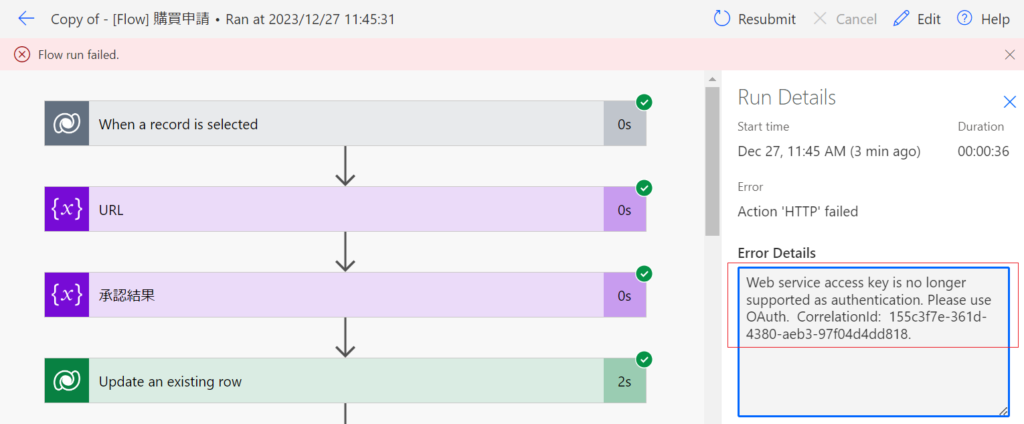
The reason for this error is that Web Service Access Key is no longer supported by Microsoft, we should change it to OAuth.
After creating a new app registration in the Azure portal, you can get the following information
applicationID:bf5fe8a1-983a-4e29-bbc3-784bb0e098d9
tenant ID:e1bade91-c2b7-4a9d-adcd-05cbbee95e33
Secret Value:f3b8Q~ROSOwTORYLOyKC5676E65XTmBFDEs5bbcE
You can view the following URL for detail
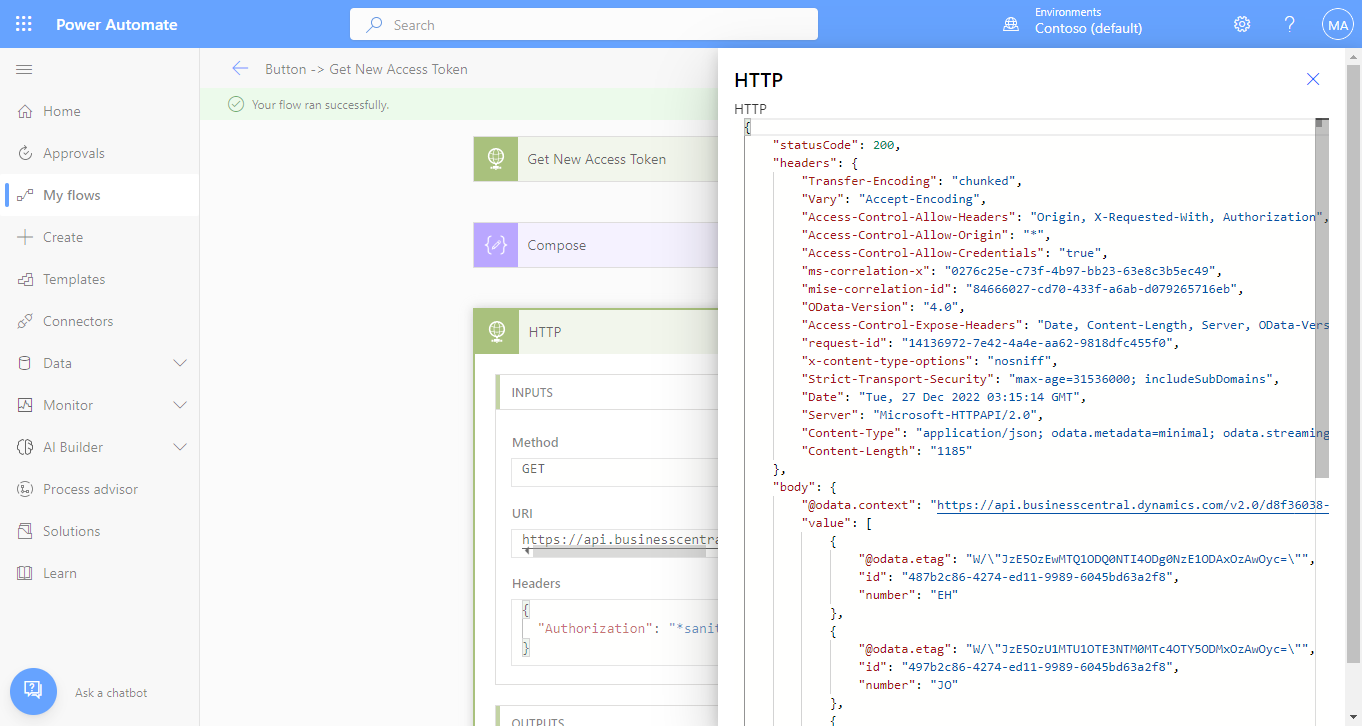
First we should create an action to get token.
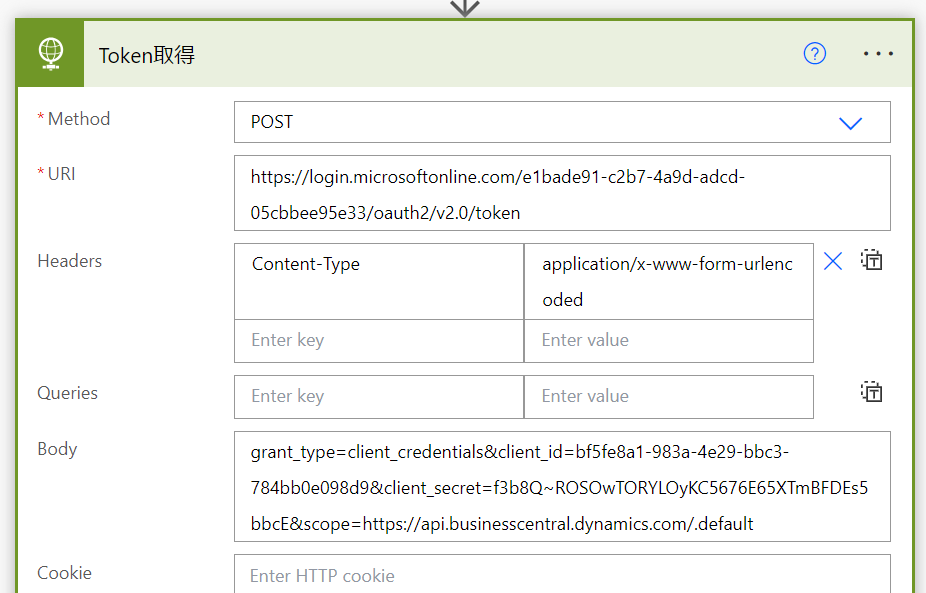
Method: Post
URI: https://login.microsoftonline.com/e1bade91-c2b7-4a9d-adcd-05cbbee95e33/oauth2/v2.0/token
Headers :”Content-Type” “application/x-www-form-urlencoded”
Body: grant_type=client_credentials&client_id=bf5fe8a1-983a-4e29-bbc3-784bb0e098d9&client_secret=f3b8Q~ROSOwTORYLOyKC5676E65XTmBFDEs5bbcE&scope=https://api.businesscentral.dynamics.com/.default
Client_id is the application ID and the client_secret is the secret value above.

Then add a new action and enter the following string.
outputs(‘Token取得’).body.access_token
‘Token取得’ is the name of the action that got the token above.
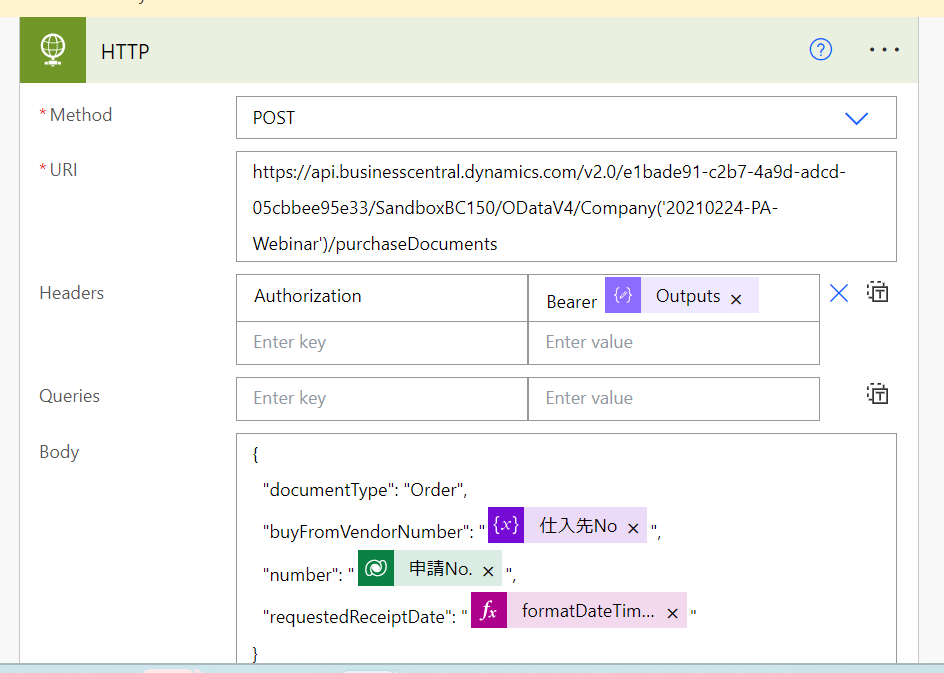
At last enter the following information into the action that call the web service of BC
Headers: :”Authorization” Bearer output(“Compose”)
Be careful, there must be a space after the “Bearer”
“Compose” is the name of getting token action above.
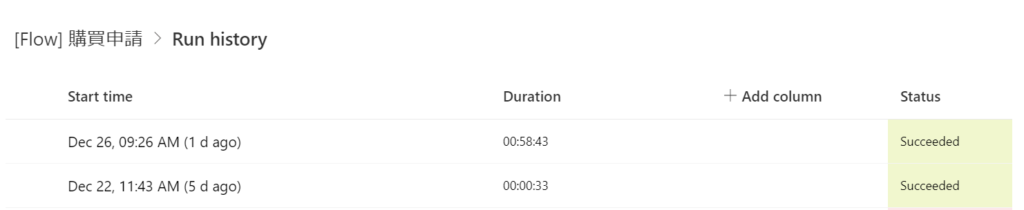
After these modifications, the execution of this flow is successful.
I hope it will help you.
コメント