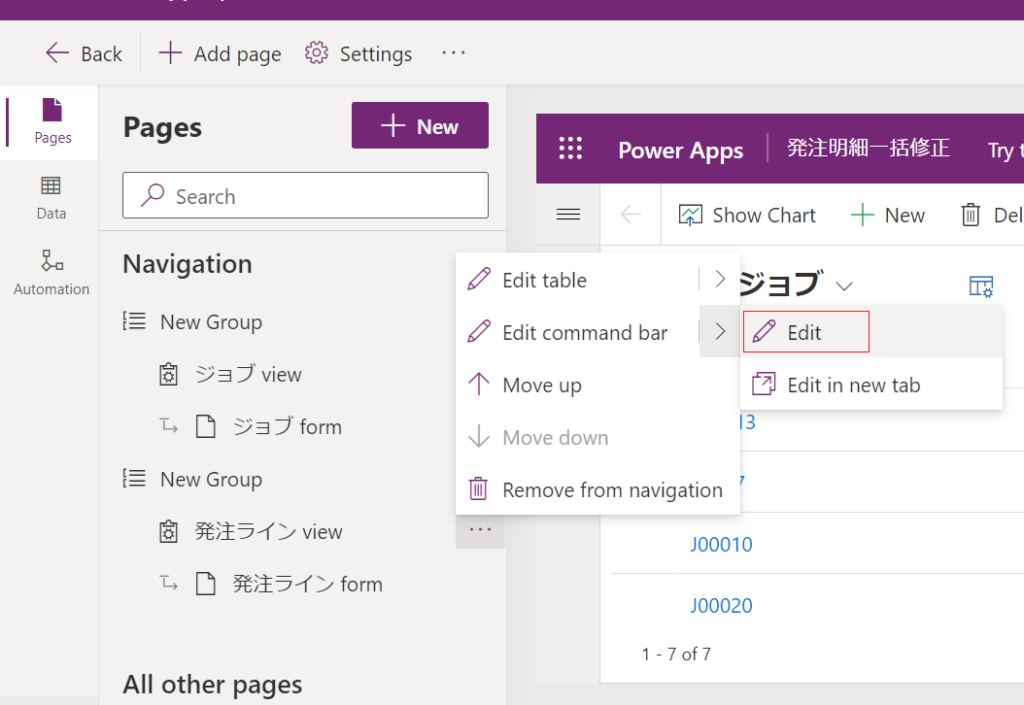
First you should edit the command bar of view to add a new command bar button.
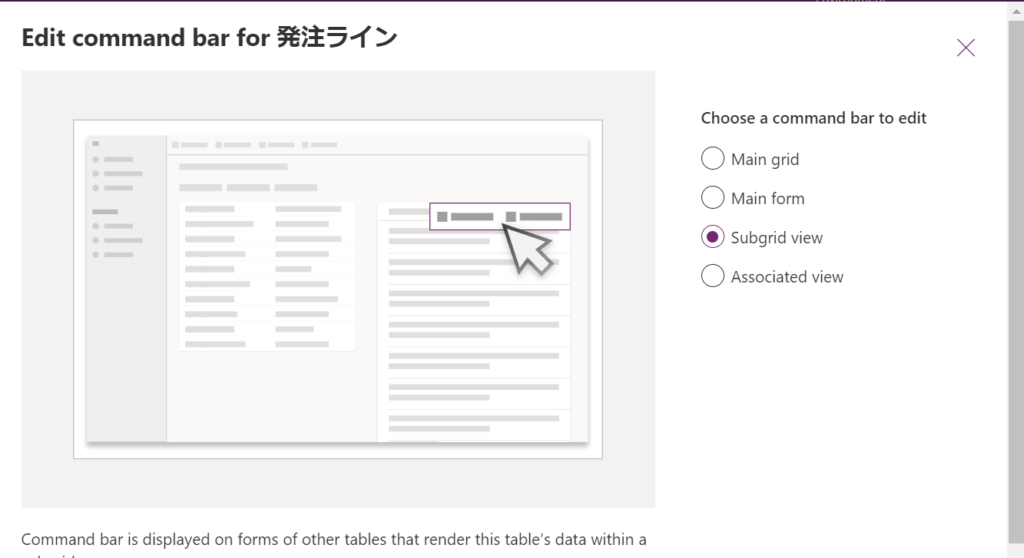
Then select [Subgrid view]
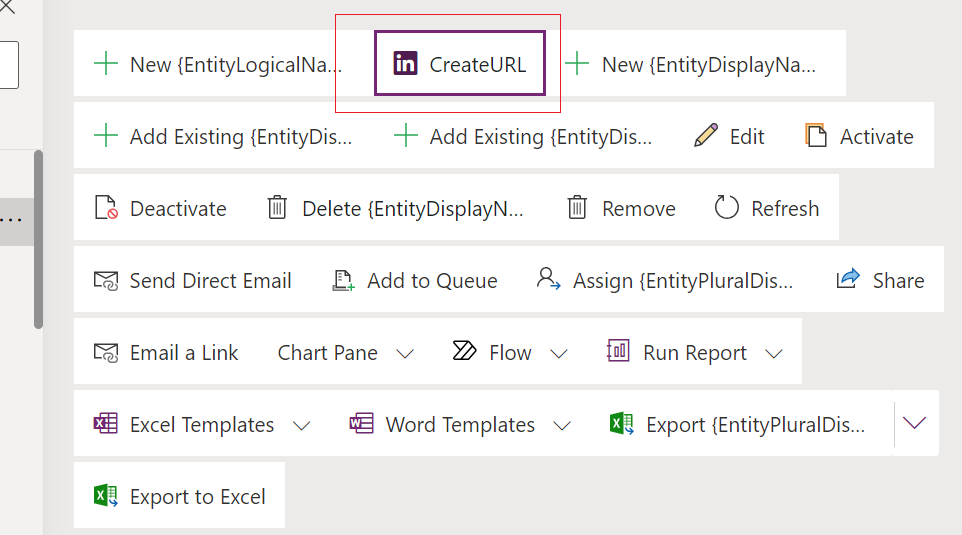
Then add a new button whose name is [CreateURL] .
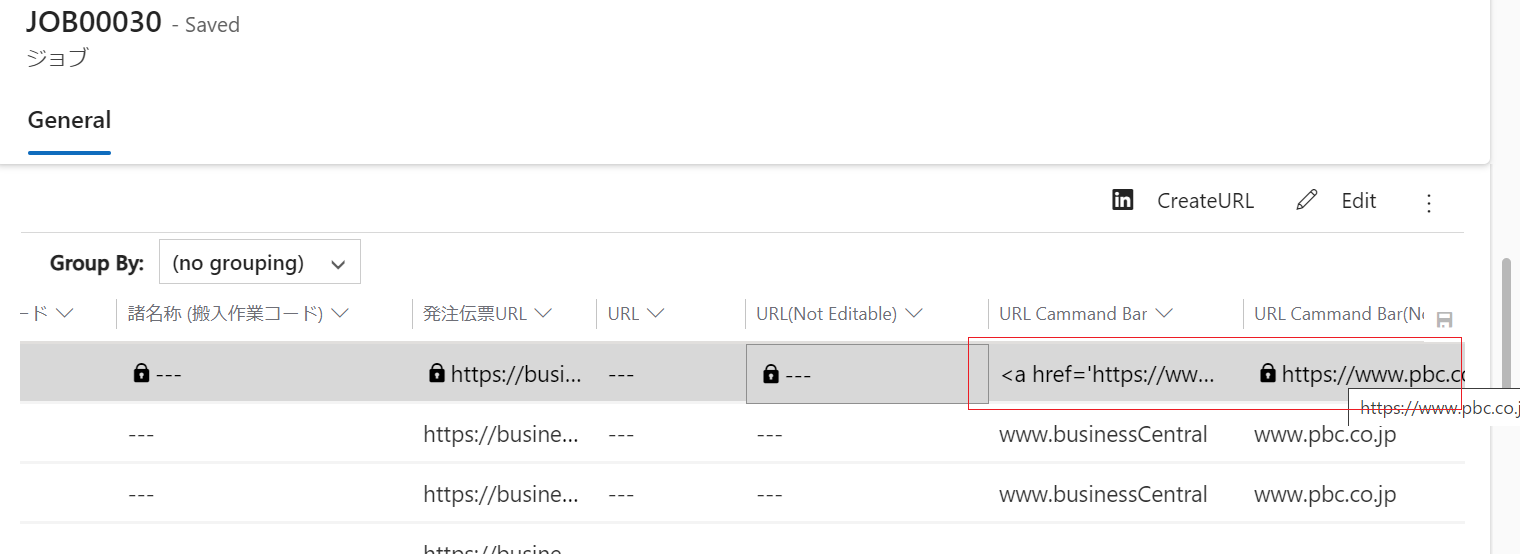
When you click this button, the URL column in the record you selected will be updated.
click [open component library] to open canvas power apps edit window.
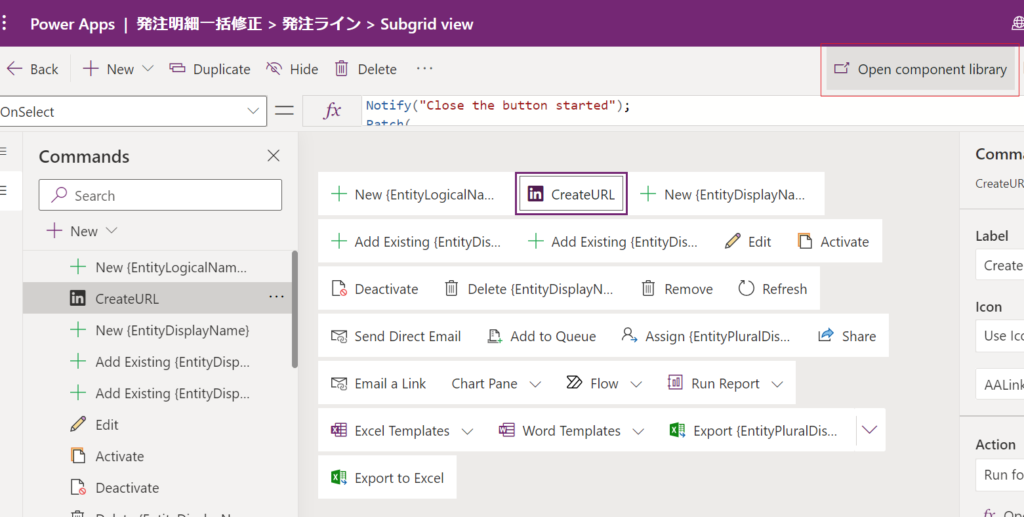
add following statement in [Visible] action to show the button when one of the record in Subgrid is selected.
CountRows(Self.Selected.AllItems) > 0

add the following statement in onSelect function.
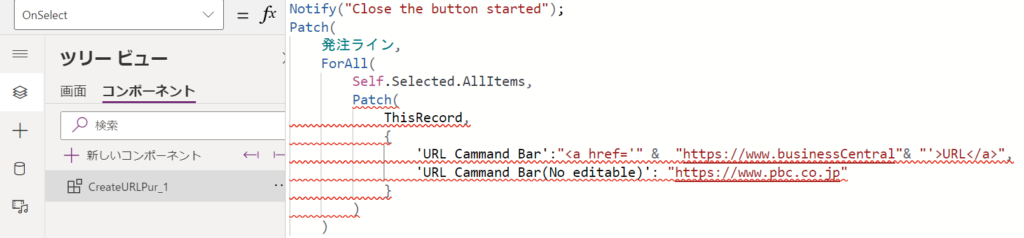
Patch(
発注ライン,
ForAll(
Self.Selected.AllItems,
Patch(
ThisRecord,
{
‘URL Cammand Bar’:”<a href='” & “https://www.businessCentral”& “‘>URL</a>”,
‘URL Cammand Bar(No editable)’: “https://www.pbc.co.jp”
}
)
)
);
and the [CreateURL] button will be shown in Subgrid view
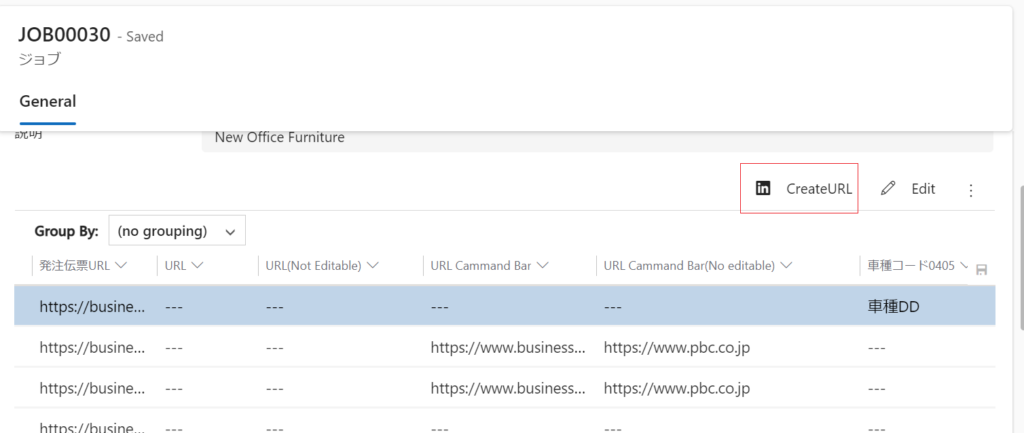
Let us test it.
Select one record in subgrid and then click the [CreateURL] button.

the URL command bar column is update successfully.
Hope that it will help you.
コメント