If you want to show “new XXXX table ” command bar button for subgrid in security role.
please follow the steps below.
For example, you have two talbes:
Job and Purchase Line
Job table is the main table and Purchase line is the table of subgrid which is shown in form of job.
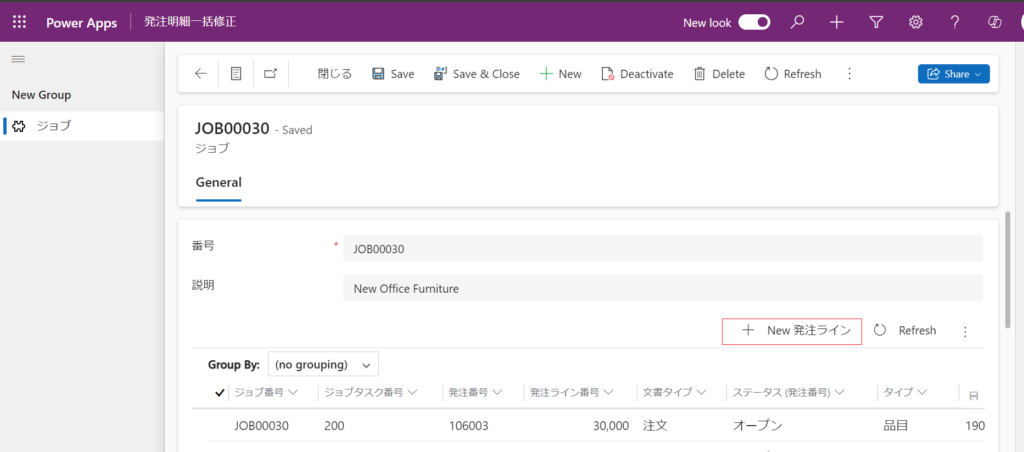
Of course, you can assign the admin permission to your account, but if you want to assign the perssion as narrow as possible, you should use security role.
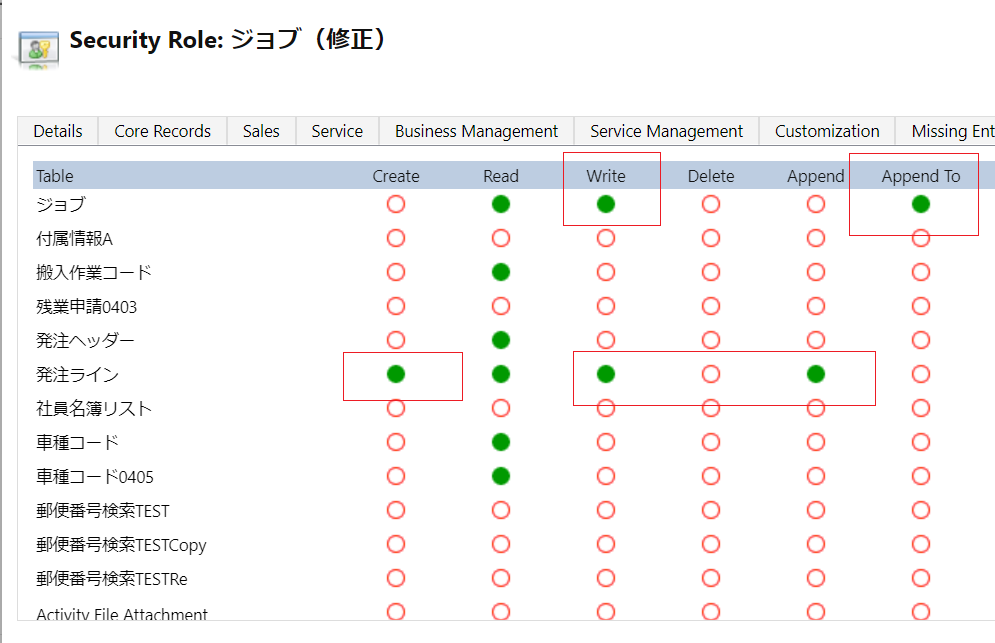
First add [Append To] and [Write] permission to Job table in Security Role.
then add [Create],[Write],[Append] permisson to Purchase Line table.
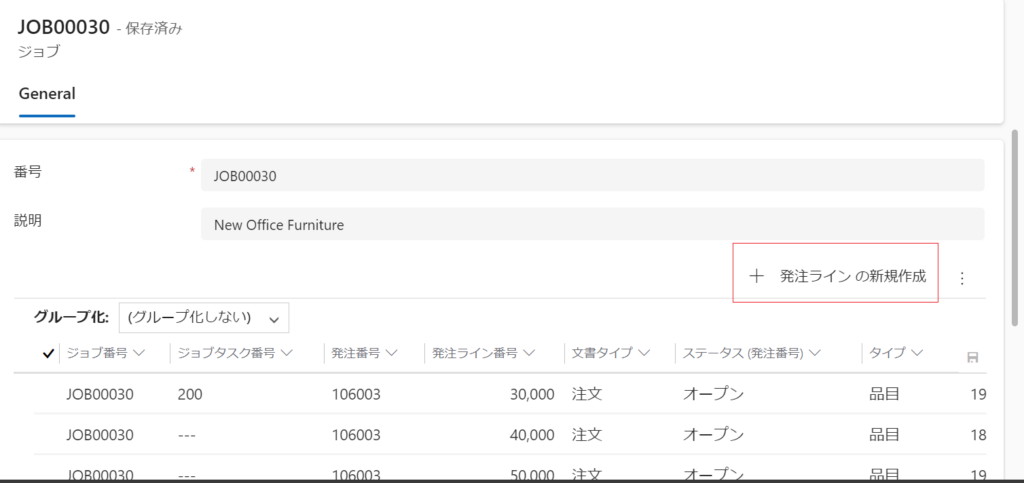
OK, the [new purchase line] button is shown now.
コメント